Backup, Disaster Recovery and Business Continuity in St. Louis
We back up Microsoft 365, your servers, and every workstation, verify the backups work, and test recovery, so a ransomware attack or a hardware failure does not become a crisis.
Why backup and disaster recovery depends on testing
Most businesses have backups, but far fewer have verified them. Almost none have tested a full restore. Backup is an operational discipline rather than a product you buy once. We monitor jobs, review failures, and test restores so recovery works on the day you need it.
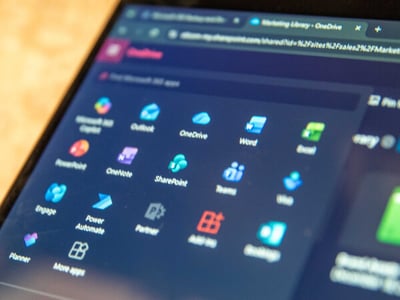
Microsoft 365 backup that Microsoft does not provide
Microsoft keeps its platform running and replicates your data across data centers. Accidental deletion, a compromised account wiping files, and expired retention settings are different problems the platform does not solve. Independent Microsoft 365 backup gives you a separate copy you control, covering mailboxes, OneDrive and SharePoint files, calendars, contacts, and Teams data, with item-level restore.
Google Workspace backup works the same way, with the same independence from the provider's native retention.
What we protect
We protect the data that keeps your business running, across every employee device, your servers, and the cloud.
Workstation backups
Laptops and desktops hold local files, profiles, and application data your team depends on. When a machine fails, rapid restore gets the user working again instead of starting from zero.
Server workloads
Image-based backups capture the entire server, including operating system, applications, and data. That supports full-system recovery after hardware failure or ransomware, with file-level restores available when you only need a single item back.
Cloud and SaaS platforms
Microsoft 365 and Google Workspace data gets backed up independently from native provider retention. Item-level restore covers accidental deletion, malicious changes, and data loss from compromised accounts.
Redundant, encrypted, offsite storage
Backup data is encrypted in transit and at rest, stored in multiple locations, and kept separate from your production environment. An event that hits your primary systems does not take your backups with it.
How we verify backups and test recovery
Backups fail silently more often than people realize. A missed job, a misconfigured retention rule, or a corrupted file can leave you exposed without warning. Three layers catch the problem: automated monitoring flags failures, our team reviews backup health on a defined cadence, and restore tests prove the data comes back.
Ransomware recovery
Ransomware recovery depends on what was in place before the attack. With our program running, your backups are isolated from production, encrypted, and tested. When an incident hits, we restore clean systems from known-good backups on a defined timeline, giving you a real recovery path with known costs and known timing.
Business continuity and disaster recovery planning
Backup answers one question: can we get the data back? Continuity answers the harder one: how does the business keep running while we recover? We document how fast each critical system must return, how much data loss is acceptable, set restoration priorities, and build the playbook your team follows.
How data recovery fits the bigger picture
Recovery is your last line of defense. The rest of the program exists to reduce how often you need it and to ensure that when you do, the restore works.
-
Managed IT Support
We keep devices, users, and systems running day-to-day with unlimited support, proactive monitoring, and vendor coordination so your team stays productive.
-
Network & Infrastructure
We manage and monitor your firewalls, switches, wireless, and network infrastructure with 24/7 coverage so connectivity stays stable and your network doesn't become an unmonitored entry point.
-
Cybersecurity Protection
We build layered defenses across devices, accounts, email, and web activity so a single click, stolen password, or malicious message doesn't become a business-ending event.
-
Security Operations & Monitoring
Our U.S.-based Security Operations Center watches your environment around the clock, investigating threats, confirming incidents, and guiding response in real time.
For the full picture, start with the program overview.
Backup and recovery: common questions
Microsoft keeps its platform running and replicates your data across data centers. Accidental deletion, a compromised account wiping files and expired retention settings are different problems the platform does not solve. Independent Microsoft 365 backup gives you a separate copy you control, covering mailboxes, OneDrive and SharePoint files, calendars, contacts and Teams data, with item-level restore. Google Workspace backup works the same way.
Backup answers whether the data can come back. Continuity answers how the business keeps running while it does. Continuity planning documents how fast each critical system must return, how much data loss is acceptable and the restoration priorities, then builds the playbook your team follows.
Three layers: automated monitoring flags failed jobs, our team reviews backup health on a defined cadence, and restore tests prove the data comes back. Backups fail silently more often than people realize, so restore testing is part of how the service runs.
It depends on what was in place before the attack. With the program running, backups are isolated from production, encrypted and tested, so clean systems can be restored from known-good backups in the priority order set in your continuity plan. Security operations and cybersecurity protection reduce how often recovery is needed.
Workstations, servers (image-based backups with file-level restore) and Microsoft 365 and Google Workspace data. Backup data is encrypted in transit and at rest, stored in multiple locations and kept separate from your production environment.
Find out where your recovery gaps are
A 15-minute Insight Session is the first step.